Online Dating Events, Made Effortless
Free to use. Fully automated. No hosting required.
Run Online speed dating events with no host, no venue and nothing to do on the night. Ticket money goes straight into your own Eventbrite account, and Tables is free for organisers, now and always.
What is the Tables platform and how does it help dating event organisers?
Tables is a complete platform for running Online speed dating events. You create your event in a couple of minutes in the Tables app, and Tables does the rest. It creates your Eventbrite listing, emails your guests, sends their reminders, runs the video dates, moves everyone from date to date and matches people up afterwards.
Get set up once
- 1
Get your account
We set up your organiser account. You manage everything from the organiser area of the Tables app.
- 2
Connect Eventbrite
Add your Eventbrite API token in the app, so Tables can create your listings and pick up your sales.
- 3
Add your brand
Upload your logo and brand images.
Create your event
- 4
Create your event
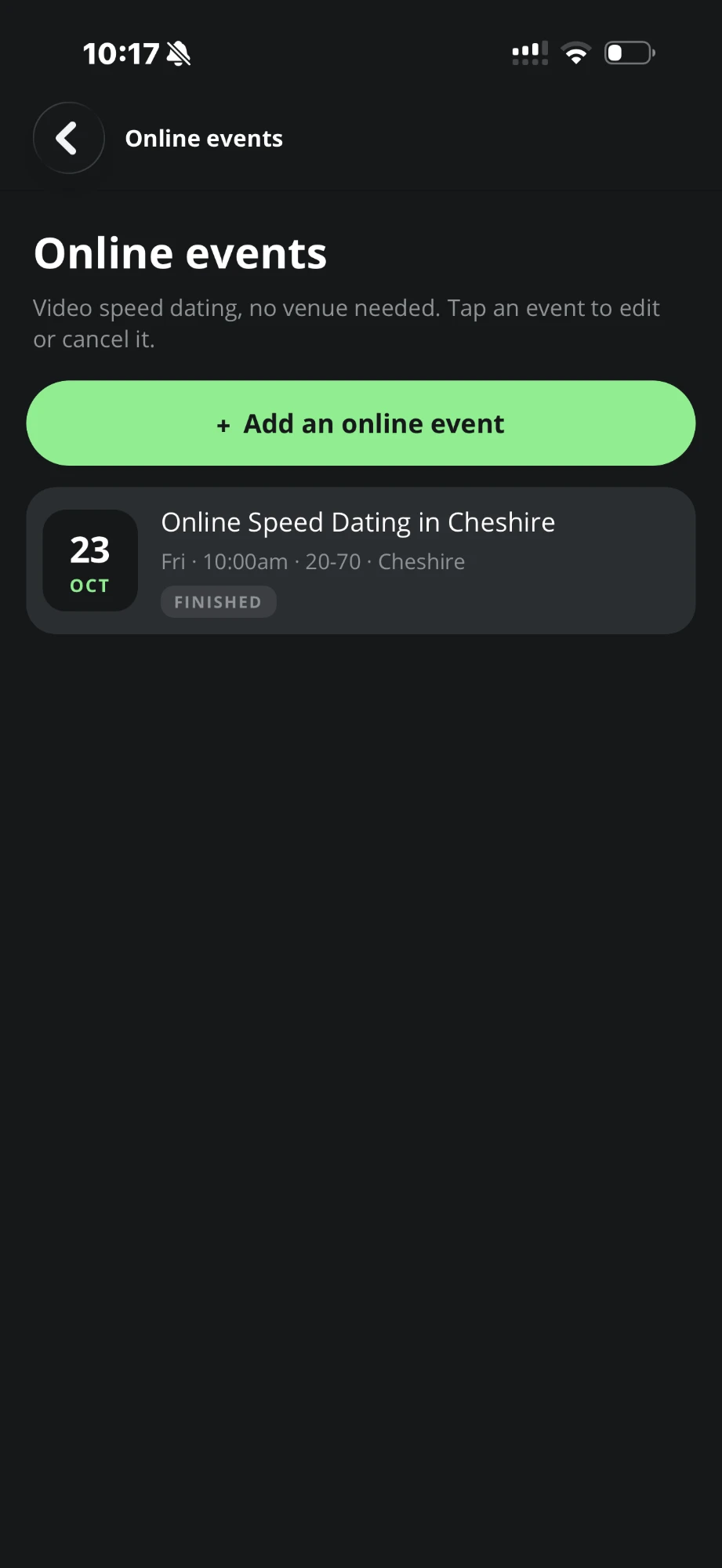
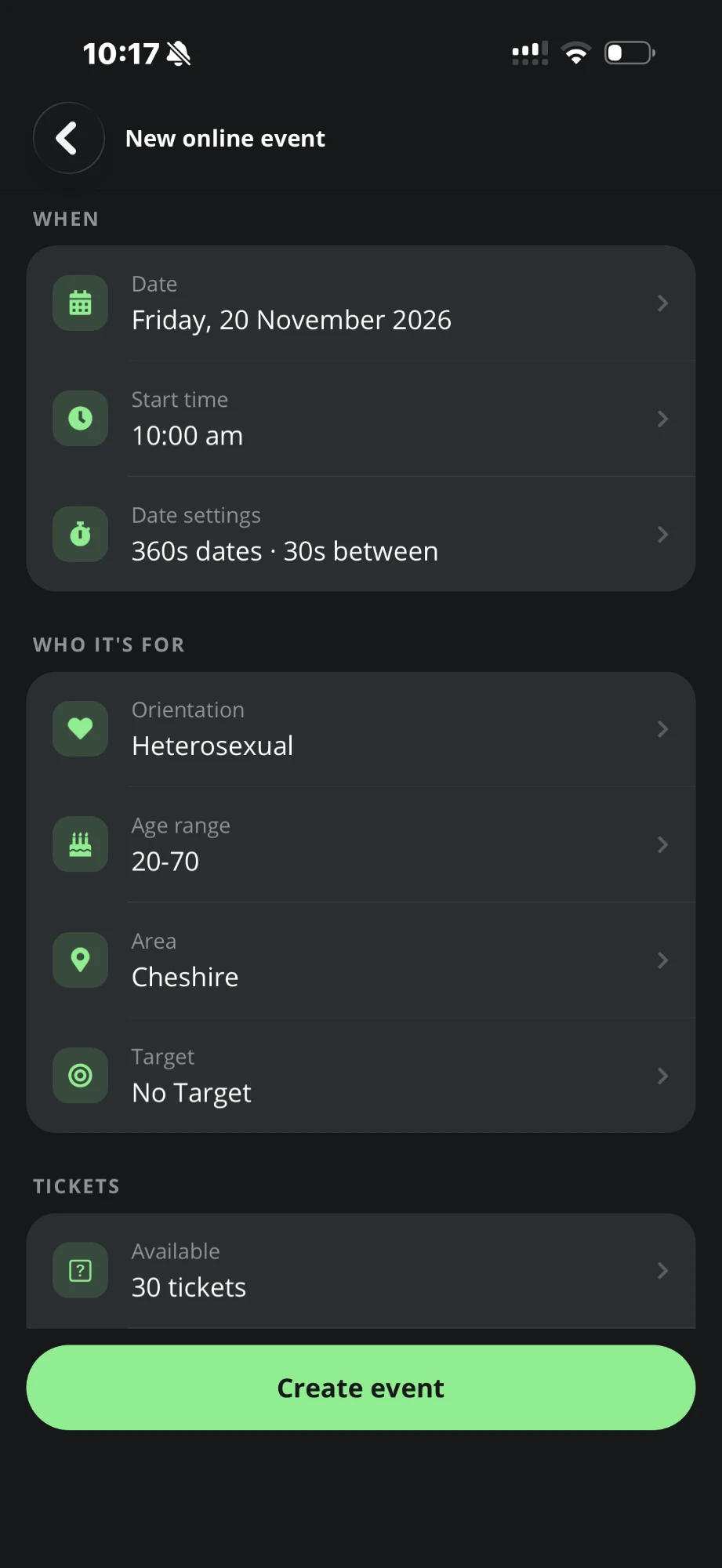
Tap Add an online event and choose:
- the date and start time (on the hour, at least a week ahead)
- date settings: how long each date lasts (3 to 10 minutes) and the gap between dates
- orientation: Heterosexual, Gay Men or Gay Women
- the age range and area (48 UK places)
- an optional target audience: Christian, Muslim, Jewish, Hindu, Sikh or Professional
- the number of tickets, and a ticket price from £1 to £50
Tables writes the name, description and listing for you. Your next event starts as a copy of the last one, four weeks later.
It goes live
- 5
It goes live
Tables publishes your listing on Eventbrite and adds the event to the Tables website and app. You get a "Your event is live" notification and a free pack of social media images.
Your guest list
- 6
Bookings come in
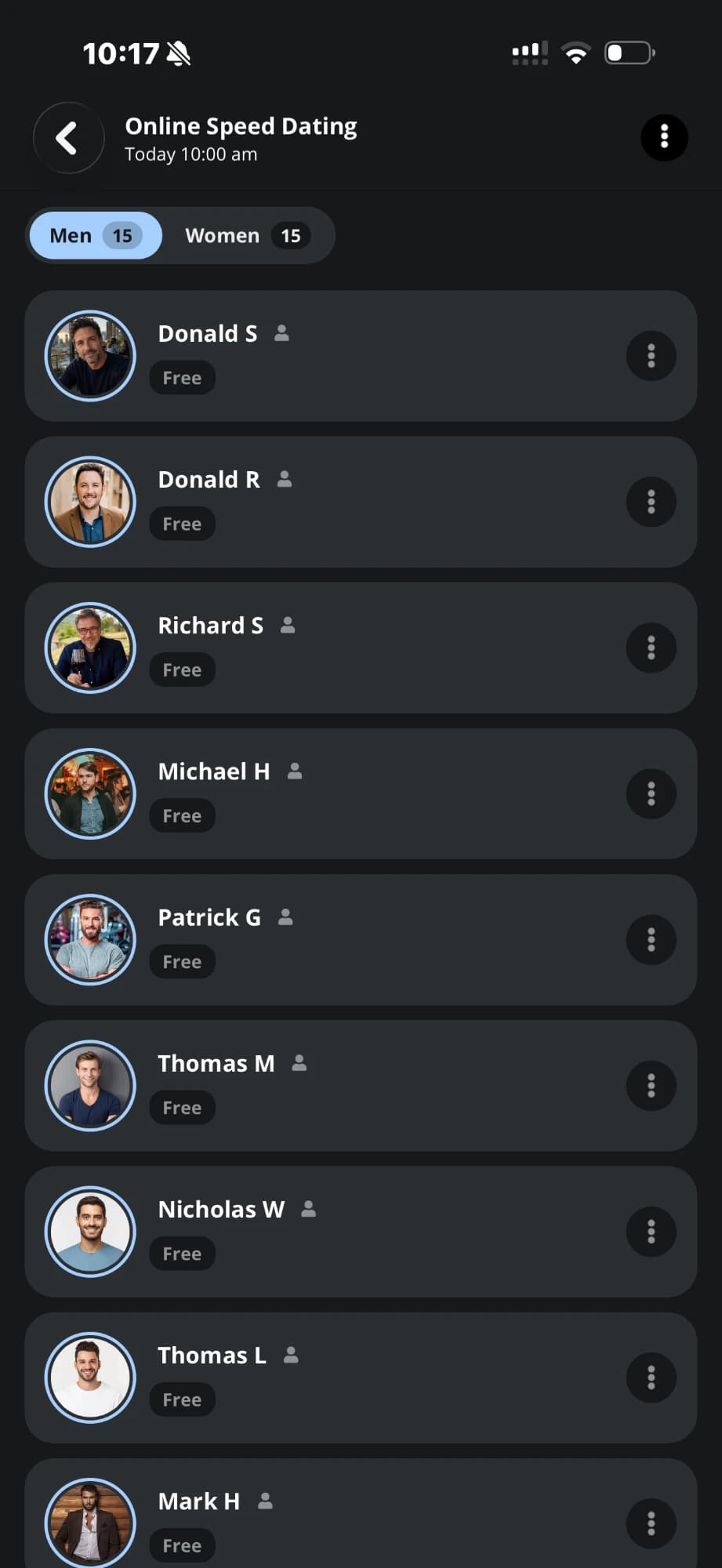
Every Eventbrite order is picked up automatically, and each guest is emailed their personal link. Your guest list fills up in the app, split into men and women. From it you can resend a guest's booking email, send them their event link, remove a booking, or add guests yourself by email up to 20 minutes before the start.
The day, the night and afterwards
- 7
On the day
At 8am you get an email and notification with your booking numbers. Tables has already built the running order and a private video room for every date. Ticket sales close 20 minutes before the start.
- 8
The night
Nothing for you to do. The event runs itself.
- 9
Afterwards
Matches are sent automatically, and your guest list shows who has posted and viewed their results. If you ever cancel, guests are offered a move to another of your Online events, and refund requests appear in your Refunds screen.
Booking and reminders
- 1
Book
Guests find your event on the Tables website, in the Tables app or on Eventbrite, and book through Eventbrite's secure checkout.
- 2
Get their link
An email arrives straight away, "Your online dates can be accessed here", with their personal link.
- 3
Get reminded
An email at 10am on the day, then an email and app notification 15 minutes before the start.
Check their set-up
- 4
Check their set-up
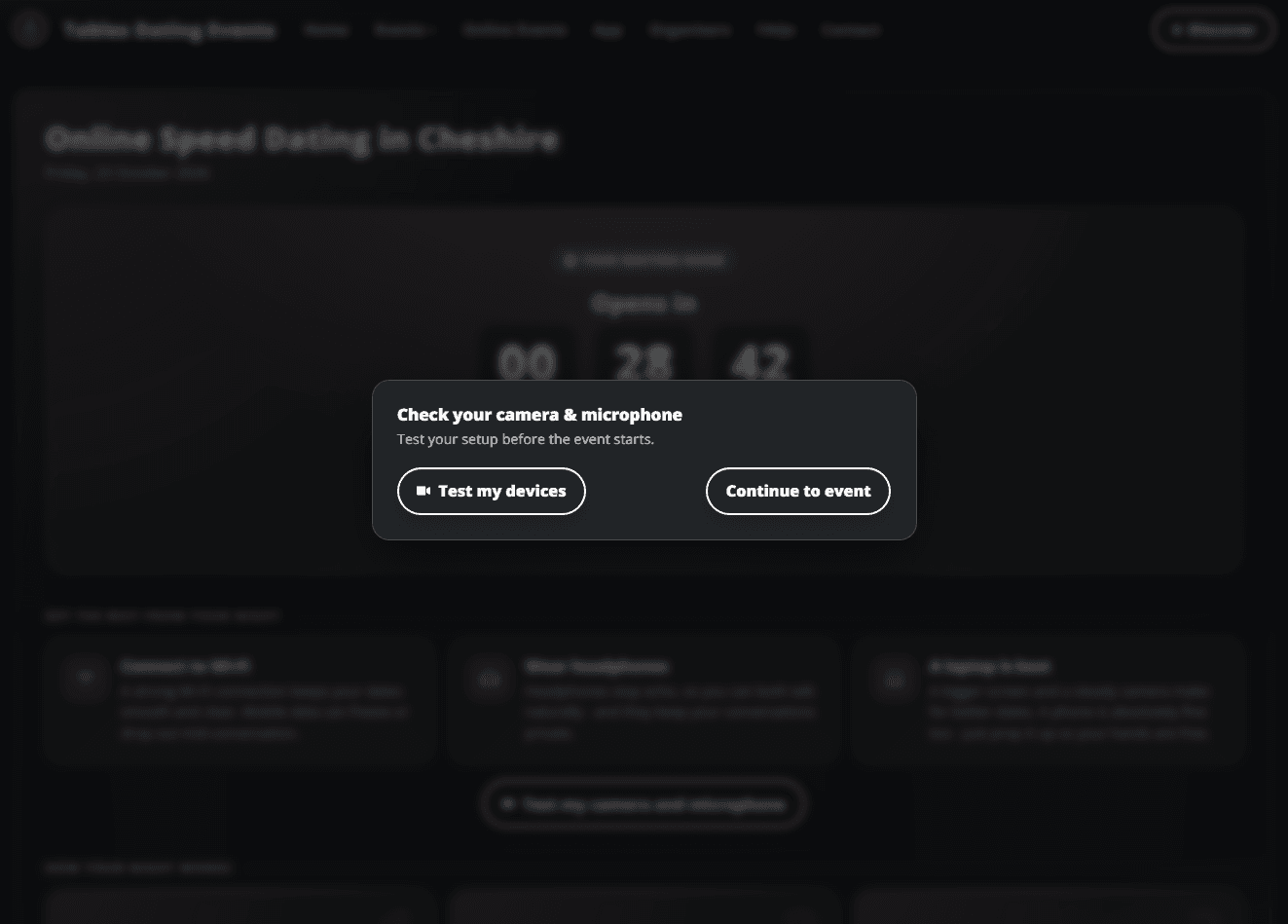
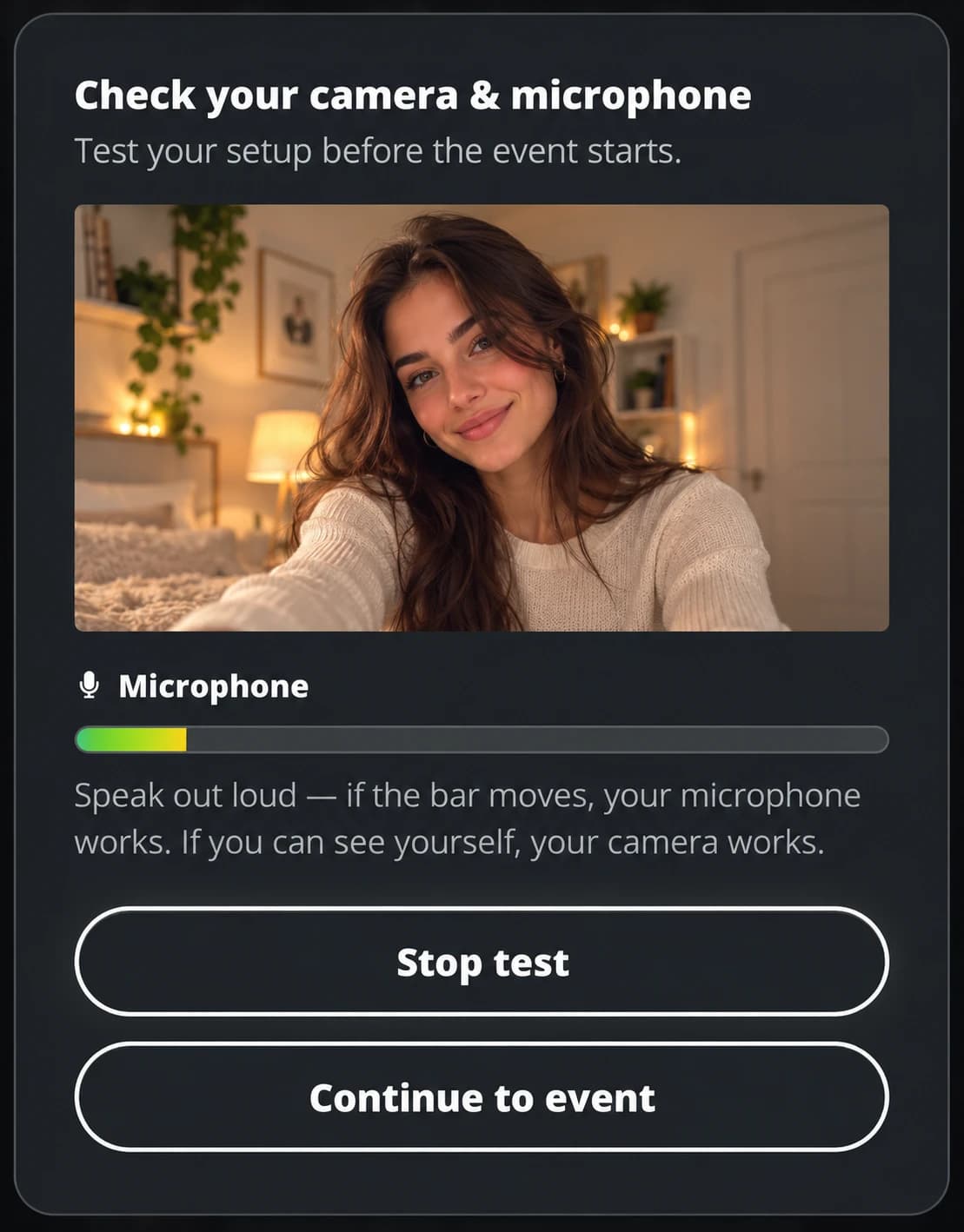
When a guest opens the session link from the email they got after booking, they're offered a quick camera and microphone test, plus tips on Wi-Fi, headphones and devices. A camera is optional; a microphone is needed.
Waiting room and running order
- 5
Waiting room
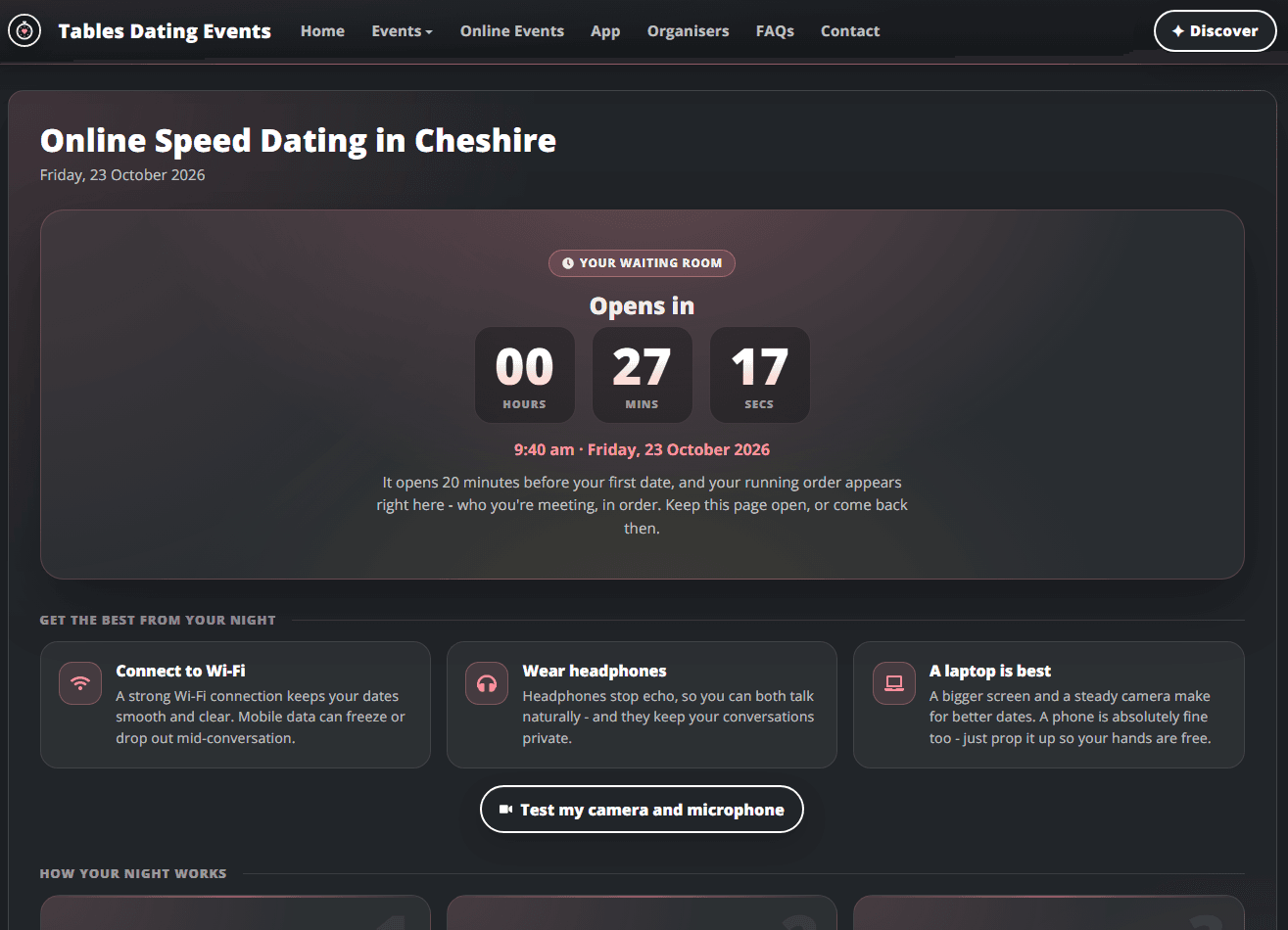
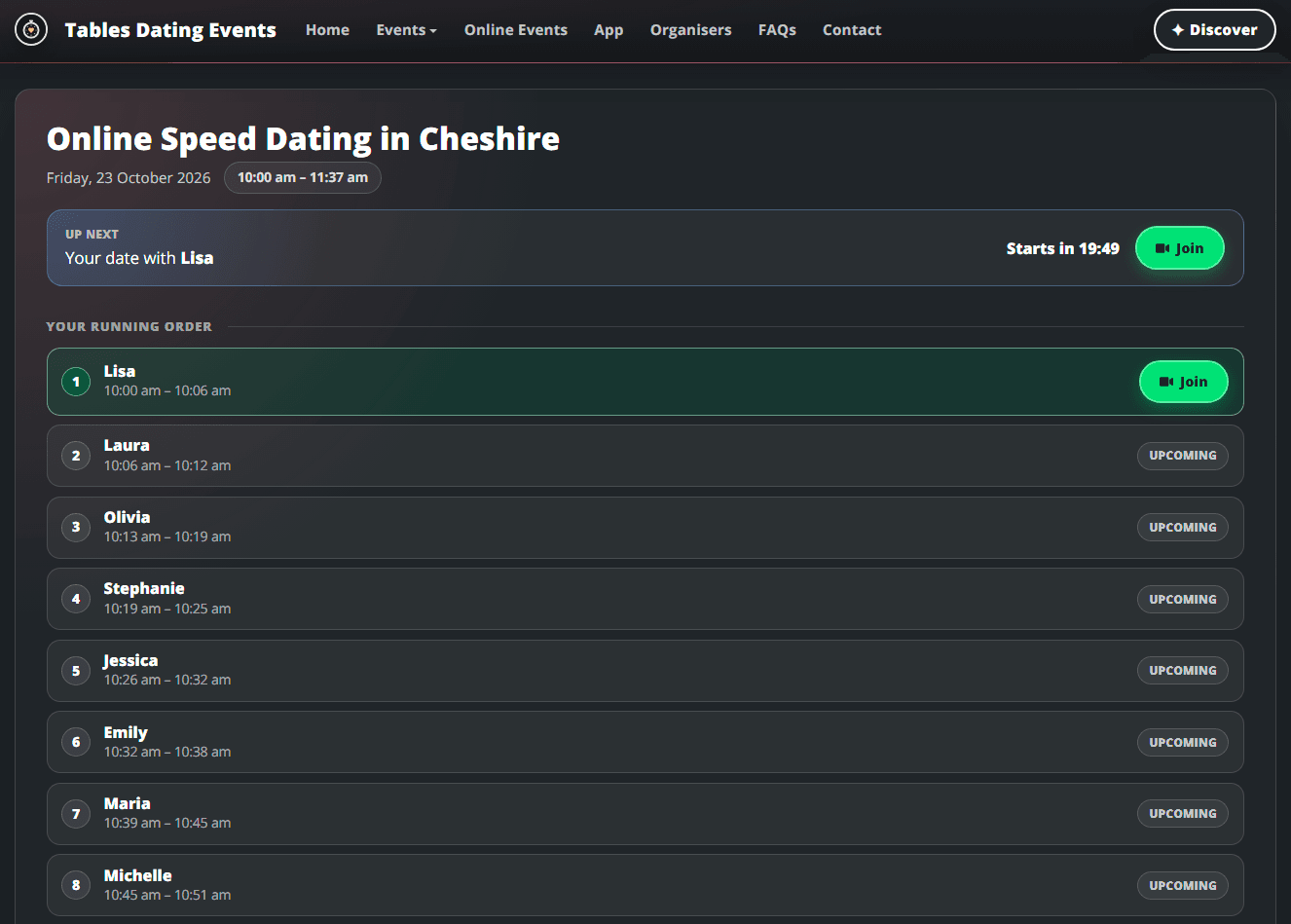
A countdown runs until 20 minutes before the first date. Then their running order appears: who they're meeting, in order, with times. They tap Join once.
Date after date
- 6
Date after date
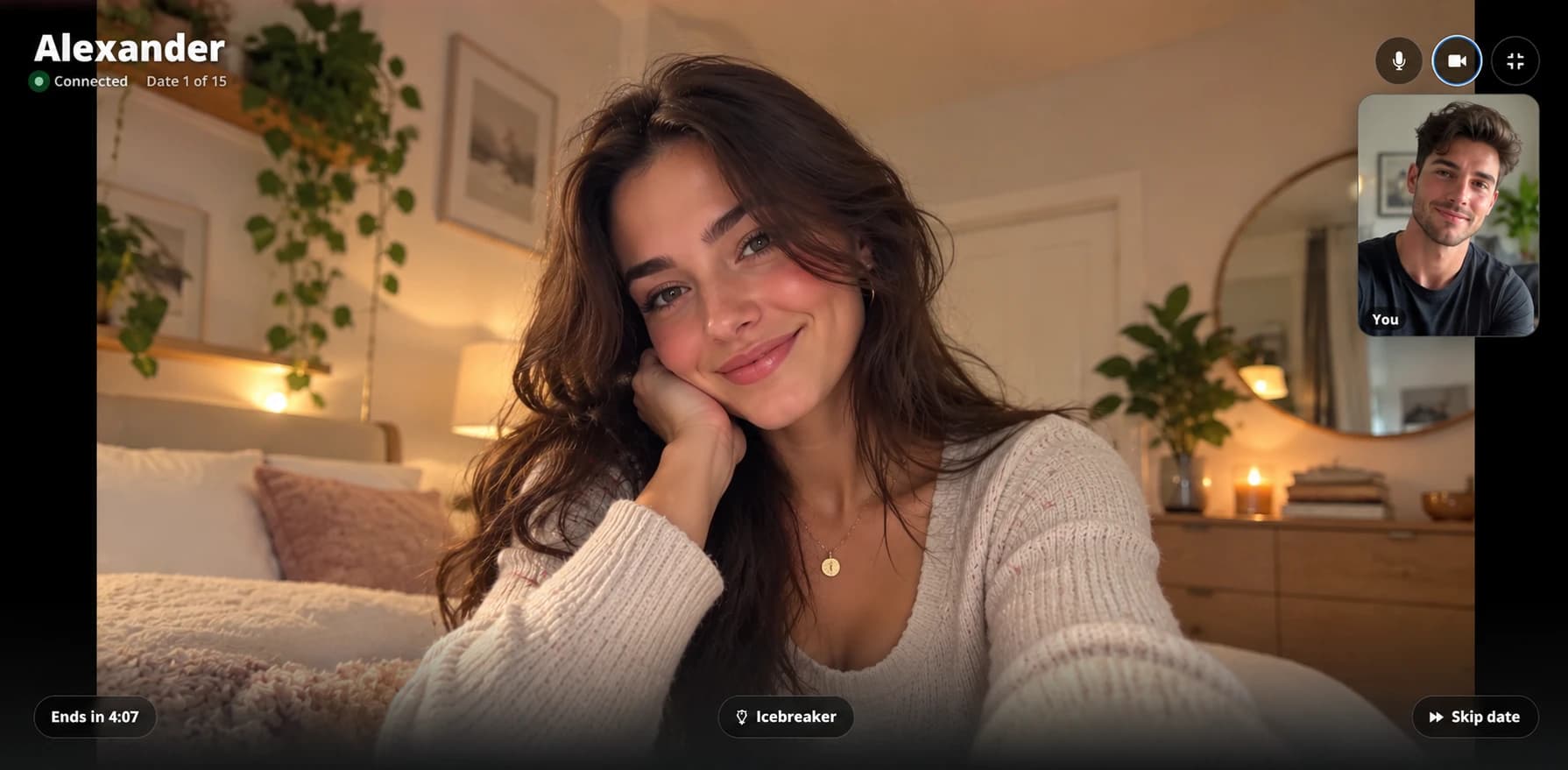
Each date is full-screen, one-to-one video with an "Ends in" timer and a one-minute warning. An Icebreaker button shows a conversation starter only they can see. When the timer ends, they're moved straight on to the next person automatically.
If a guest needs a break, Skip date lets them sit out the current date and rejoin at their next one. Their date gets a friendly message saying they are taking a breather, so nobody is left wondering.

Results and matches
- 7
Pick who they liked
After their last video date, one tap takes them to their results sheet, where they post who they'd like to stay in touch with. They say yes or no to each person, and choose what to share with a match: email, phone and/or Instagram. Choices are private, and nobody finds out unless it's mutual.
- 8
It's a match
Mutual matches get an "It's a match!" email. App users can also message each other in the app.
What you do / What we do
Getting set up
- 1
Email us
Contact info@tablesdatingevents.co.uk and we'll create your organiser account. - 2
Download the Tables app
Log in with your organiser account.
- 3
Connect your Eventbrite account
Add your Eventbrite API token under Settings, then Eventbrite. If you don't have an Eventbrite account yet, create one first.
- 4
Upload your brand images
Under Brand images, so your logo appears on your events.
- 5
Create your first Online event
Go to Online events and tap Add an online event. Then start promoting it.
You bring the singles. Tables takes care of the dates.
Free for organisers, now and always.